Product
AI video with dialogue: lip sync from the words in your prompt
How DV4 makes people on screen say the lines you write, in sync, and how it listens to every shot to check the words. Plus what it does not do yet.
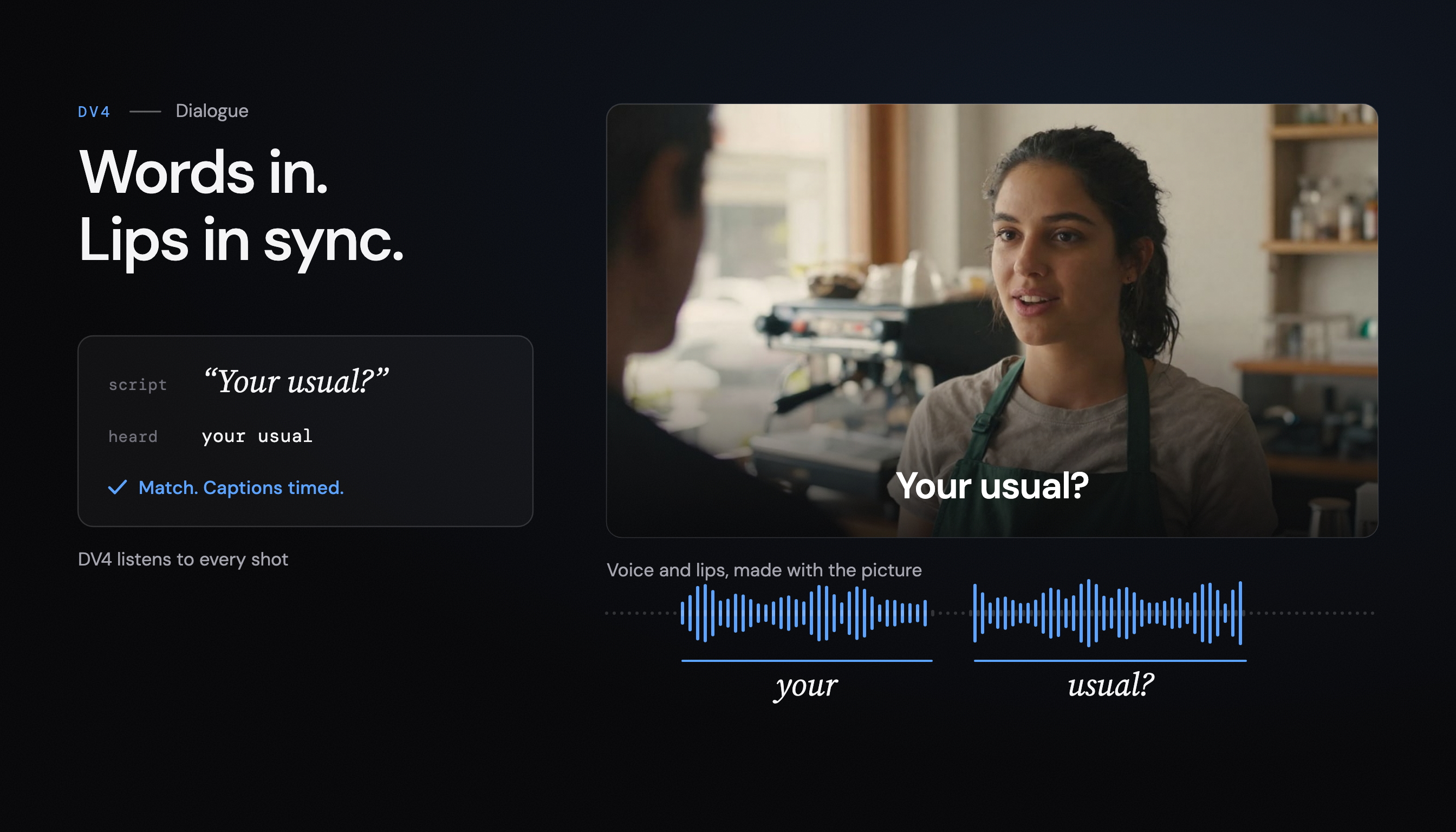
A video of a barista saying “Your usual?” to a regular is a different thing from a video of a barista pouring milk. The first one has a person in it. It is also much harder to make well. The words must be the ones you wrote, the lips must move with them, and the voice must sound like it belongs in a busy café rather than in a recording booth.
This post explains how DV4 makes video with dialogue from a text prompt, how to write the lines, and how DV4 checks that the people on screen said what you asked. It also lists what dialogue in DV4 does not do today, because the limits matter when you plan a video.
Dialogue that comes out of the shot itself
You write the lines in your prompt, and the people on screen say them, with their lips in sync with every word, in the scene’s own sound. There is no separate voice track laid over a silent picture.
That is the important part. DV4 generates the speech, the lip movement and the sound of the place in the same pass as the picture. The barista’s voice carries the room: the espresso machine behind her, the cups, the street through the door. Nothing has to be mixed to make it sound like it was recorded there, because it was made there.
Dialogue is on the paid plans. On the free plan, videos have the scene’s sound, but nobody speaks.
How to write the lines in a prompt
Write the scene the way you would brief a director, and put the spoken words in quotation marks. For example:
A small café in the morning. A barista in a green apron looks up as a regular walks in and says “Your usual?” He smiles and says “Make it a large today.”
A few habits help:
- Say who speaks. “The barista says” is clearer than a line floating in the prompt.
- Keep lines short. One or two sentences per person per shot reads naturally and is easier to keep in sync.
- Describe the place. The sound comes from the scene, so a busy kitchen sounds different from an empty office.
- Leave text out of the picture. Ask for words on screen as on-screen text, not as a sign in the shot. DV4 adds titles as exact type afterwards.
DV4’s planner turns your prompt into a shot list with every spoken line written down in the plan, shot by shot. That script matters later, when DV4 checks the result.
Why the lips stay in sync
Lip sync goes wrong when the voice and the face are made separately and then lined up. The timing drifts, a word lands a frame late, and the mouth makes a shape that no sound matches.
In DV4, the words go into the shot’s prompt in quotation marks, and the video model produces the voice and the moving mouth together. Because there is one source for both, there is nothing to line up. The same is true for the rest of the sound in the shot.
How the full pipeline runs, from your line to the finished file, is in From one line to a finished video.
DV4 listens to every shot
A video model can still get the words wrong. It may drop a word, swap one, or mumble a line into something else. So DV4 does not take the shot on trust.
When a shot with dialogue comes back, speech recognition listens to its sound and writes down what it hears. DV4 then compares those words with the lines in the plan. If too many words differ, the shot fails the check.
Shots with no lines get the opposite check. A shot that should be silent must not have someone talking in it, so DV4 listens for unexpected speech there too.
When a shot fails the check
A shot that fails is not used. DV4 makes it again with a new seed, a new random start that gives a different take, and the new take goes through the same checks.
A silent shot that keeps producing speech gets one more try. If that try also fails, DV4 drops that shot’s scene sound rather than ship a stranger muttering in the background, and it tells you. With each finished video you see its flags, so you know what changed before you post it.
Captions from the words that were spoken
Captions in DV4 come from the same check. The words come from your script, so they are spelled the way you wrote them, names included. Only the timing comes from the speech recognition, so each caption appears when its words are spoken.
Captions are burned into the video, and you also get a WebVTT captions file to download. When faces fill the bottom of the frame, the captions move to the top so they do not cover anyone’s mouth. Composed music sits under the dialogue rather than on top of it, on the same paid plans.
What dialogue in DV4 does not do yet
Plan around these:
- No voice choice. People speak with the video model’s own voice. You cannot pick a preset voice or clone your own.
- No narration or voice-over. Speech comes from people on screen, not from a narrator over the footage.
- No uploaded recordings. You cannot upload an actor’s line and have DV4 build the picture around it.
- No real public figures. DV4 refuses to make them, with or without dialogue.
If your video depends on a specific voice, a brand voice or a recorded performance, DV4 is not the right tool for that part today.
Try it
Write a scene with two lines of dialogue in quotation marks, choose landscape for the web or vertical for a reel, and watch the shots get planned, filmed and checked. You can make a video where people speak in DV4 on any paid plan, and start on the free plan to test the scene and its sound first.
Every check in this post runs a model, and every model call is GPU time. Making those calls faster and cheaper is the other half of what we do at Deep Variance: we build the auto-tuning inference stack for open-source diffusion models, and DV4 runs on the stack.