
You're running out of VRAM.
The hardware isn't.
Every AI team hits the same wall: the dashboard shows 95% memory utilization, but the next allocation fails anyway. That memory is fragmented into gaps the allocator can't reassemble. Optimemory closes that gap automatically, on every job, without touching your code.
Built for




The hidden cost
Buying more GPUs is the obvious answer. It's rarely the right one.
Up to 40% of the memory on your current hardware is available but unreachable, fragmented across allocations your framework discarded but never fully recovered. Your utilization dashboard shows 95% efficiency. It's measuring the wrong thing.
That memory is still on your invoice. Every OOM crash, every model downsize, every "we need more hardware" conversation is this problem in disguise. Optimemory makes that memory reachable again with no new hardware required.
Teams blocked on model scaling ship on the cluster they already operate. No hardware procurement.
40–60% fewer GPUs to serve the same inference load. Clusters that over-provision for memory right-size immediately.
8–16x larger batch sizes on the same card. Jobs that crashed at batch_size=1 run at practical scale today.
Memory Efficiency
VMM Stitching · Active
up to 65%
Recovered
up to 65%
Utilization
up to 99%
Under the hood
How memory gets reclaimed.
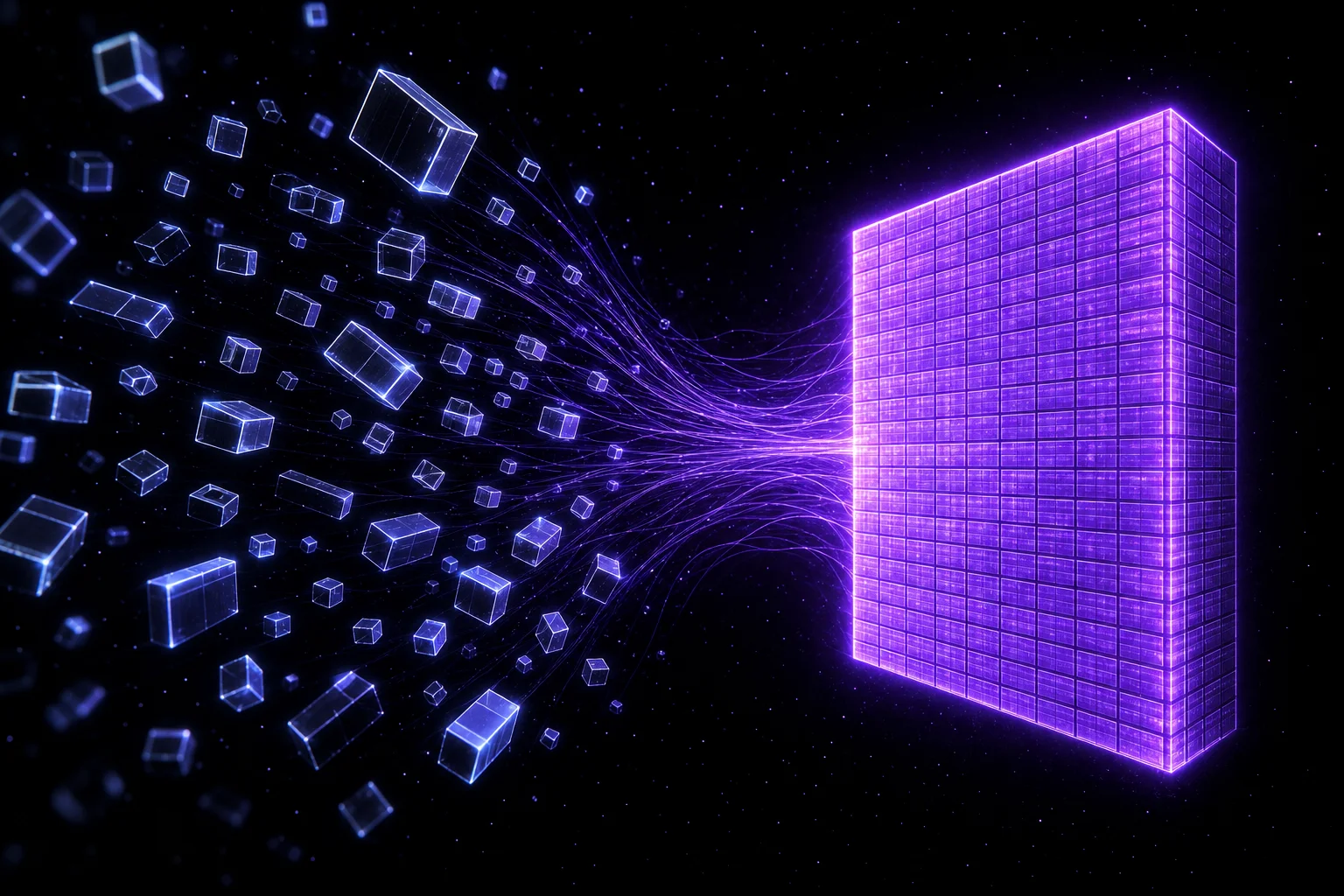
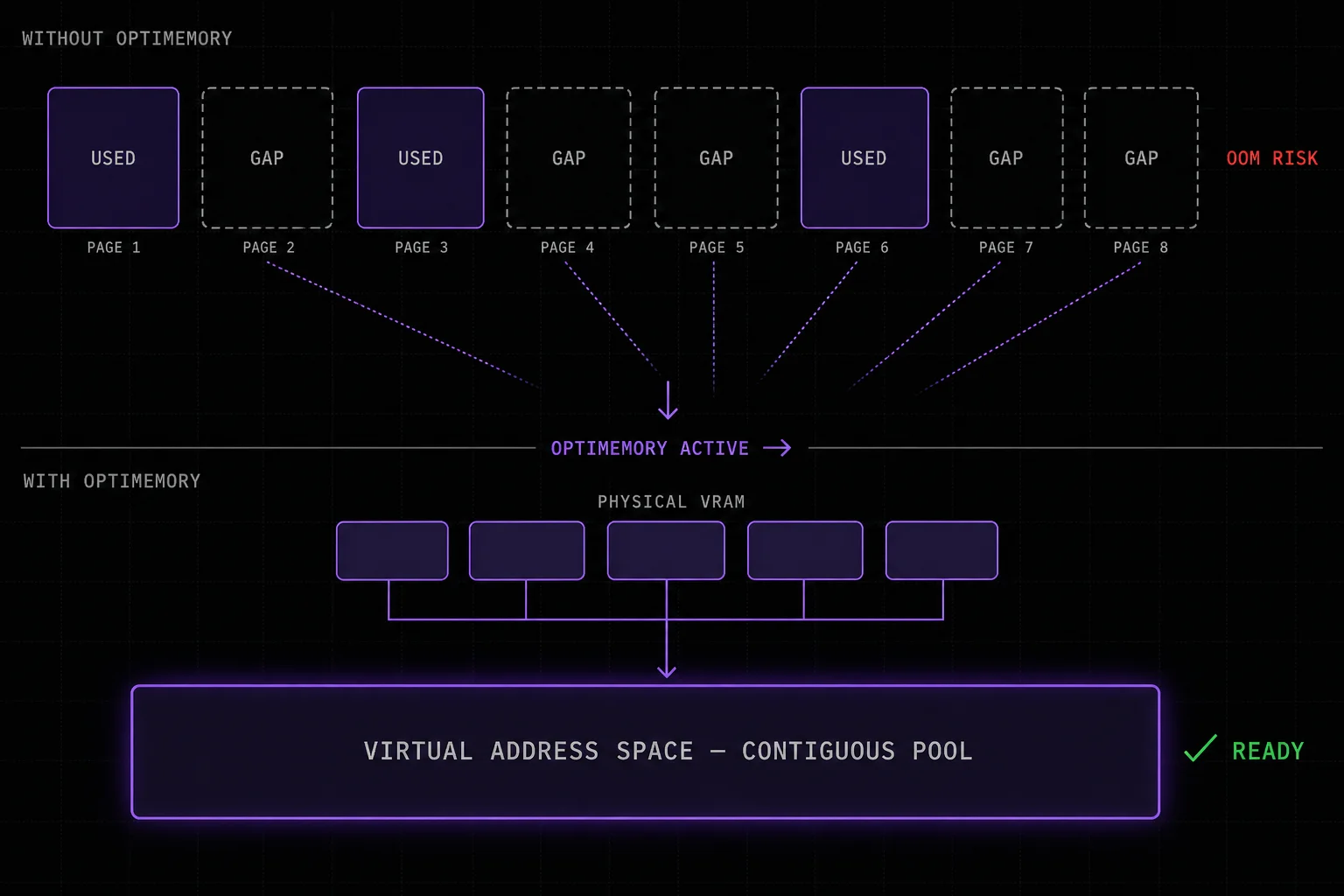
When a framework frees a tensor, the physical memory pages don't fully return. They fragment into gaps the allocator can't reassemble. Over thousands of training steps, these gaps compound silently. Your dashboard reports healthy utilization. Your jobs still crash.
Optimemory intercepts at the driver layer, pools the freed pages, and stitches them into a single contiguous block your model treats as fresh VRAM. No change to your model, optimizer, or training loop. The reclaimed memory appears from the first job.
Models that didn't fit. Now they do.
These workloads hit a wall before Optimemory. The wall was software, not hardware.
LLM Pre-training
LLaMA, Mistral, Megatron
Run LLaMA-70B on a single H100 with no tensor parallelism and no NVLink required.
Image Generation
FLUX, DiT, Stable Diffusion
Full-resolution FLUX at full batch size with no gradient checkpointing, same 24 GB card.
Inference Serving
vLLM, TensorRT, ResNet
Every batch served from pre-allocated VMM slots. Cold-start latency spikes eliminated.
Fine-tuning
LoRA, QLoRA, full fine-tune
13B models at batch_size=8 on the same RTX 4090 that previously crashed at batch_size=1.
from deep_variance import vmm_empty_nd, cache_stats
import torch

# Pre-allocate a reusable GPU buffer once
img_buf = vmm_empty_nd(
    (batch_size, 3, 224, 224),
    dtype=torch.float32
)

# Reuse across every training step, zero overhead
for imgs, labels in dataloader:
    img_buf.copy_(imgs.cuda(non_blocking=True))

print(cache_stats())
Replace one allocator. Keep your training loop.
One pip install. No compiler, no build tools.
Call vmm_empty_nd once. Pages from the driver pool.
Copy into the buffer every step. Zero overhead.
cache_stats() shows pool health live.
One package. Any cluster.
Validated on major HPC infrastructure. Available for Windows and Linux as a standalone package or as part of Deep Variance's optimization stack.
HPC Clusters
Validated on Perlmutter, Summit, and AWS P4d. Drops into any cluster job with no reconfiguration.
Windows and Linux
Pre-compiled wheels for both platforms. One pip install, no compiler, no build toolchain, no version pinning.
Distributed Training
Works across DDP, FSDP, and tensor parallel setups. Each process manages its own pool with no cross-rank coordination.
CUDA + AMD
Primary support for CUDA 12 on NVIDIA hardware. AMD ROCm support is currently in alpha.
Run massive models on the hardware you already have.
Drop Optimemory into your training loop and reclaim VRAM you're already paying for.